
-
July 23, 2024
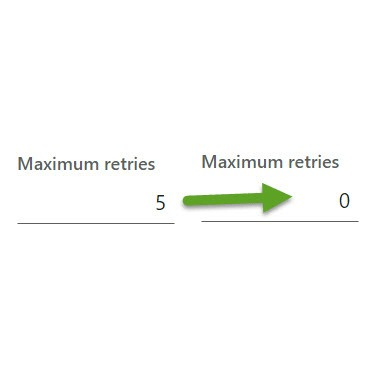
Microsoft introduced batch retry in 2021. This causes many unexpected results covered in many other articles across the web. Every one of these issue can be addressed with various best practice standards depending on the scenario. However, it is time consuming to revisit every batch job especially on an older implementation.
The primary concerns I have with the default batch retry being set to 5 are:
- Custom legacy batch jobs were written before the introduction of batch retryable and default into using this framework. This should have been an “opt in” approach, not an “opt out”.
- You cannot edit the retry count when scheduling batch jobs, so this feature is often forgotten/missed. You must first create the job, then go withhold it, then edit the retry count.
- Error handling doesn’t work well with batch retry. If you configure your batch job to email on error, you won’t get the error until the 5th retry finishes in error. If any attempts succeeded, you are not notified. If the job does end in error, you only get the error log for the most recent retry. Especially problematic for jobs where the time of day is important during execution.
- When external endpoints are involved, it is easy to cause duplicate issues. For example, uploading a file to SFTP, then updating FO to reflect the change. If the FO update fails, the batch retry will re-upload. Again, there are ways to code around this, but if you are working with legacy code – or code which properly assumed no retries in 2018 – you will end up uploading the same file 5 times.
This code changes the default retry to 0 on most manually scheduled batch jobs. You can still manually update the max retry count on individual jobs. Note there are many restrictions on the chain of command extensions in these classes. This code works on 10.0.34 and 10.0.40, but may not work on other versions.
I purposefully did not edit BatchHeader or BatchInfo class methods named save. These appear to be used by many system generated jobs and are likely coded to support the retry count properly. However, if your customizations frequently made use of these to schedule jobs in code, you may want to consider making changes.
I tested manually scheduling one custom batch job extending RunBaseBatch, which resulted in 0 retries. Whereas, previously it would schedule with 5 retries. And I tested one base class (DocuDeleteOrphanTaskBundle) scheduled in code using BatchHeader method save which resulted in 5 retries. This was the expected behavior, but please test your scenarios before moving to prod.
[ExtensionOf(classStr(BatchInfo))]
final class scBatchInfo_Extension
{
    void doBatch(boolean silent)
    {
        retriesOnFailure = 0;

        next doBatch(silent);
    }
}  Schiermeyer Consulting, Inc